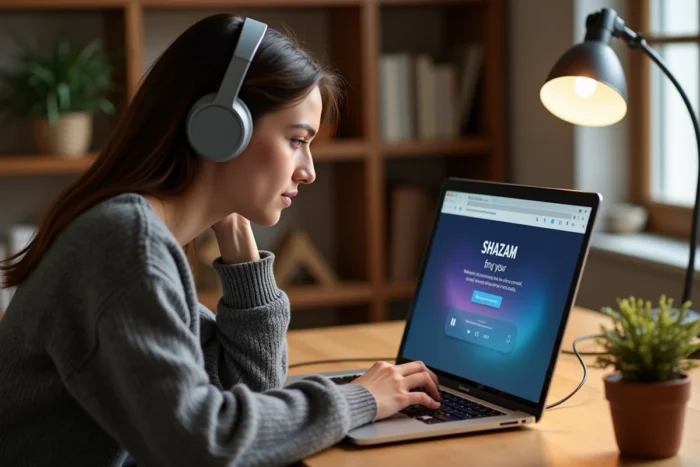
You come across a piece of music in a YouTube video, a Twitch stream, or a podcast listened to through headphones, and the reflex would be to pull out your phone to launch Shazam. On PC, the situation is different: no native Windows app to install from a store, no obvious blue button. The good news is that Shazam offers a web version accessible from any browser, and it covers the essential need for music recognition on a computer.
Shazam on PC without a smartphone: what the web version really does
The first thing to check when you want to recognize music on PC with Shazam is the browser compatibility. By opening shazam.com from Chrome, Firefox, or Edge, you access an interface that allows you to start listening via the computer’s microphone. The site simply asks for permission to access the microphone, then analyzes the ambient sound to identify the track.
The operation is based on the same principle as the mobile app: Shazam generates a sound fingerprint from a short excerpt captured by the microphone, then compares it to its database. On PC, it works just as well with music played by external speakers as with sound coming from another device in the room.
However, feedback varies on one specific point: the recognition of sound that comes directly from the computer. If the music is playing in a browser tab and you launch Shazam in another tab, the microphone picks up the sound through the speakers or headphones, not through an internal audio stream. The quality of the capture therefore depends on the built-in microphone of the PC and the volume level.

Audio recognition on PC: external microphone or internal sound
In practice, two situations arise when using Shazam from a browser on a computer.
If the music comes from outside (radio in the room, television, Bluetooth speaker), the PC microphone picks up the ambient sound and Shazam works exactly like on mobile. You click the listening button, wait a few seconds, and the title appears.
If the music is playing from the PC itself (YouTube video, Spotify playlist in the browser), it’s more complicated. The browser does not redirect the internal audio stream to Shazam. The microphone must pick up the sound coming from the speakers. With a laptop whose speakers are a few centimeters from the built-in microphone, it often works. With closed headphones, the sound does not escape into the room and the microphone picks up nothing.
To work around this problem on Windows, some users configure a virtual audio device that redirects the audio output to a microphone input. This is not a native feature of Shazam, and it requires third-party software. On macOS, the situation is similar: without additional tools, Shazam web only captures ambient sound.
Quick field tip
The most reliable method remains the simplest: turn up the volume of the PC speakers, reduce ambient noise, and start Shazam listening. You can achieve identification in a few seconds in most cases.
Web functions of Shazam compared to the mobile app
The web interface of Shazam is not limited to real-time recognition. It also offers a manual title search, access to country charts and global top lists, as well as artist pages with lyrics and links to streaming services.
What the web version offers:
- Music recognition via the browser microphone, displaying the title, artist, and cover art
- Consultation of the history of identified tracks (if logged in with an Apple account)
- Access to Shazam charts (top 200, discoveries by country) and synchronized lyrics pages
- Direct links to Apple Music, Spotify, or YouTube to listen to the full track
What is missing compared to the mobile app:
- No automatic background recognition (the Auto Shazam mode does not exist on the browser)
- No integration into the iOS control center or the Android Shazam Pop-Up, which allow identifying a track without opening the app
- No push notification when an artist you follow releases a new track
The web version covers one-time identification, but not the passive and continuous use that mobile allows. For someone who wants to identify a track occasionally from their desk, it’s sufficient. For intensive music discovery use, the app remains superior.
Shazam on Mac: the special case of the native macOS app
On Mac, the situation differs from Windows. Apple offers Shazam as a native app downloadable from the Mac App Store. This desktop version retains the functions of the mobile app: recognition via the microphone, synchronized history with the Apple account, and most importantly, the ability to identify sound playing directly on the computer without going through the microphone.
This internal sound recognition feature is the real advantage of the macOS app. You can listen to a track through headphones, launch Shazam, and get the title without the sound needing to come out through the speakers. This capability is absent from the web version and impossible on Windows without third-party software.
For Windows users, the web version remains the only official option. No Shazam app in the Microsoft Store, no dedicated desktop client. The most common alternative is to use shazam.com in the browser or turn to other online music recognition tools that operate on the same audio fingerprint principle.
When Shazam fails on PC: troubleshooting tips
The failure of recognition on PC almost always comes from the same place: the browser does not have access to the microphone. You need to check the permissions in the browser settings (lock icon next to the URL) and ensure that the correct input device is selected.
Excessive background noise, low volume, or too short an excerpt can also prevent identification. Shazam needs a few seconds of clear music to generate a usable fingerprint. Remixed tracks, amateur covers, or very short music (jingles, notification sounds) often cause problems, regardless of the device.
On PC as on mobile, Shazam only recognizes tracks present in its database. A very obscure production or an unlisted live recording will not yield results. In this case, attempting a search by lyrics on the Shazam site or on a regular search engine remains the best option.