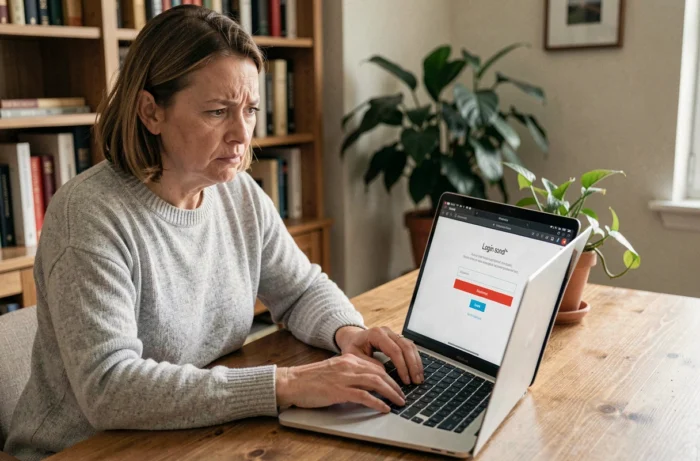
The Crédit Agricole des Côtes-d’Armor (CA22) uses an authentication system that combines a personal identifier and password to provide access to the online banking space. Losing this password blocks access to accounts, transfers, and monitoring of current transactions. The recovery procedure follows a specific path, framed by identity verification mechanisms that have evolved in recent years.
Difference between web password and personal code CA22
Before any manipulation, a technical distinction is necessary. The web login password is the one you enter on the site ca-cotesdarmor.fr or in the mobile app to view your accounts. It can be reset via the login page.
The personal code (or confidential code) is a distinct code, often numeric, linked to your online banking contract. In several regional branches of Crédit Agricole, including CA22, the complete reset of this personal code can no longer be done entirely online. It requires validation by an advisor, either in the agency or by phone.
Confusing the two leads to dead ends: attempting to reset a personal code via the web form for forgotten passwords will not work, and vice versa. When the login page offers a recovery link, it pertains to the web password, not the confidential code linked to the contract.
A detailed guide explains how to access my CA22 account online by distinguishing between these two scenarios.

Resetting the CA22 web password: step-by-step procedure
Recovering the web login password goes through the identification page of the site ca-cotesdarmor.fr. The “forgot password” link is accessible below the password entry field.
The procedure triggers a strong identity verification via SMS or automated call. It is no longer a simple sending of a temporary password by email. The sequence unfolds as follows:
- Entering your banking identifier (account number or personal identifier) on the login page, then clicking on the recovery link
- Receiving a verification code via SMS on the phone number registered with your agency, or validation by automated call
- Setting a new password directly on the page, after validating the received code
If the phone number associated with your account is no longer active (line change, lost phone), this online procedure is blocked. The system does not offer an alternative via email alone for security reasons.
Constraint on the format of the new password
The new password must comply with the rules imposed by the platform. The regional branches of Crédit Agricole generally require an alphanumeric password, distinct from previous ones. Avoid reusing a password already used on another site: in case of a data breach on that third-party site, your banking access would be exposed.
When online reset does not work: recourse in agency or by phone
Several situations render the online procedure inoperative. A visit to the agency or call center remains the only option to regain access to your space.
The most common cases:
- The phone number registered in the banking file is outdated or incorrect
- The online account has never been activated (first access) and no password has been set
- The blockage concerns the personal code of the online banking contract, not the web password
- Multiple failed attempts have temporarily locked access
In these cases, contact your Crédit Agricole des Côtes-d’Armor agency directly. The advisor will carry out an identity verification (ID in the agency, or security questions by phone), then manually reset your access. A new temporary password will then be communicated to you, which you will need to change at the first login.
Unlocking delay after lockout
After several incorrect password entries, the account is temporarily locked. This lockout is a protective measure against fraudulent access attempts. The automatic unlocking delay varies by regional branches, but a call to the call center allows you to lift the lock without waiting.
Securely access your online bank account
Recovering a lost password takes time. A few adjustments can reduce the risk of getting blocked again.
First, check that the phone number registered with your agency is indeed the one you use daily. This is the number that receives verification codes. A mismatch between the actual number and the one in the banking file is the primary cause of failure in the online procedure.
The Crédit Agricole mobile app (Ma Banque) offers access via fingerprint or facial recognition on compatible devices. This method eliminates the need to enter the password at each login and significantly reduces the risk of forgetting.
Note your banking identifier in a secure place, separate from your password. A password manager (dedicated app on your phone or computer) allows you to store this information without memorizing it. Never keep your identifier and password together on a loose paper or in an email.
Regularly updating your contact information (phone, email address) with your agency remains the best way to ensure that any recovery procedure will work when you need it.