The voice of Darth Vader on Waze transforms every navigation instruction into a line from a galaxy far, far away. However, among the official voices offered by the app, community packs, and files archived on collaborative repositories, the options for obtaining this voice vary depending on the operating system, app version, and license availability. Here’s what each method concretely involves.
Darth Vader Voice on Waze: Official Files, Community Packs, and Text-to-Speech
Three distinct sources allow you to associate the Sith Lord’s voice with your GPS. They differ in terms of ease of installation, sound quality, and longevity.
| Source | Installation | Audio Quality | Longevity |
|---|---|---|---|
| Official Waze Themed Voice | Directly from the app (Settings > Voice) | High (professional recordings) | Variable: Waze regularly removes licensed voices |
| Community Pack (collaborative repository) | Link waze.com/ul?acvp= to be opened on mobile | Variable depending on the creator | Depends on community preservation |
| AI Text-to-Speech (TTS) | External generation then manual import | Recognizable but artificial | Unlimited (locally generated files) |
The official voice, when available, remains the simplest solution. A community pack requires clicking on a specific link that directly opens Waze and loads the voice pack. Text-to-speech, on the other hand, requires generating each navigation prompt (turn right, in 200 meters, etc.) and then manually associating them with the app.
A detailed guide explains how to use Darth Vader on Waze by covering each of these methods step by step, including necessary adjustments depending on your device.

Disappearance of Licensed Star Wars Voices on Waze
Waze has removed several voices from movie licenses over the course of updates. Recent discussions on user forums confirm this trend: some Star Wars voices are no longer accessible from the app.
The reason lies in the temporary licensing agreements between Waze (owned by Google) and the rights holders. Once the agreement expires, the voice disappears from the catalog without notice. Users who had activated it sometimes retain it on their device, but any reinstallation of the app erases the voice pack.
This very issue motivated the creation of collaborative repositories like “waze-voicepack-links.” This project aims to preserve voices removed from the official app by archiving audio files and direct links to Waze servers. The repository contains compressed archives with audio files corresponding to each navigation prompt.
Check Availability Before Seeking a Workaround
Before rummaging through community archives, check if the Darth Vader voice is still in the Waze catalog. The path remains the same on iOS and Android:
- Open Waze, then go to Settings > Voice and Sounds > Waze Voice
- Browse the list of available voices looking for Star Wars themed packs
- If the pack does not appear, the license has likely expired and only a community pack or a text-to-speech voice will recreate the effect
Community Voice Packs: How to Install Them Without Rooting Your Phone
The voice packs shared by the Waze community use a specific link format (waze.com/ul?acvp=) followed by a unique identifier. This link directly opens Waze and offers the installation of the voice pack without manipulating system files.
This method does not require rooting an Android phone or jailbreaking an iPhone. The process boils down to opening the link from the mobile browser, accepting the opening in Waze, and then confirming the activation of the voice.
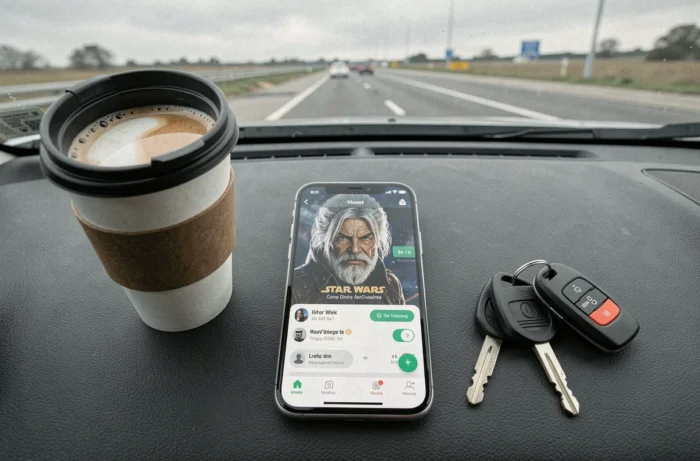
The quality entirely depends on the pack creator. Some use audio clips taken from Star Wars movies, which gives an authentic rendering but can sometimes be uneven from one prompt to another. Others rely on text-to-speech tools to reproduce the character’s deep tone and characteristic breath.
Concrete Limitations of Unofficial Packs
A community pack does not always cover all of Waze’s voice instructions. If an audio file is missing for a specific direction, Waze reverts to the default voice for that specific prompt, creating a sometimes confusing alternation between Darth Vader and the standard voice.
Waze updates can also break the compatibility of a manually installed voice pack. After each major update, check that the voice still works correctly on a short trip before heading out on a long journey.
Waze on CarPlay and Android Auto: Voice Customization in 2026
Since the summer of 2026, Waze has enhanced customization on CarPlay and Android Auto. Themed voices, vehicle icons, and mood options are now accessible directly from the built-in interface, without going through the phone.
This development changes the game for personalized voices. Before this update, some themed voices did not work correctly in CarPlay mode: the system would consistently revert to the default voice as soon as the phone connected to the vehicle.
The ability to record your own voice instructions is also part of this update. A user can thus record each prompt with their own imitation of Darth Vader or use a pre-generated text-to-speech file.
- On CarPlay: voice selection is done from the Waze screen integrated into the dashboard, under Settings
- On Android Auto: changing the voice still requires going through the phone in some cases, depending on the system version
- User-recorded voices are stored locally and do not disappear with app updates
- Community packs installed via acvp link work on both platforms, provided they were activated before connecting to the vehicle
The choice between official voice, community pack, and personal recording depends on the level of sound fidelity sought and the patience available for setup. The official voice remains the most reliable when available, but its frequent disappearance from the catalog is pushing more and more users towards community archives or homemade text-to-speech.